Copy, never move
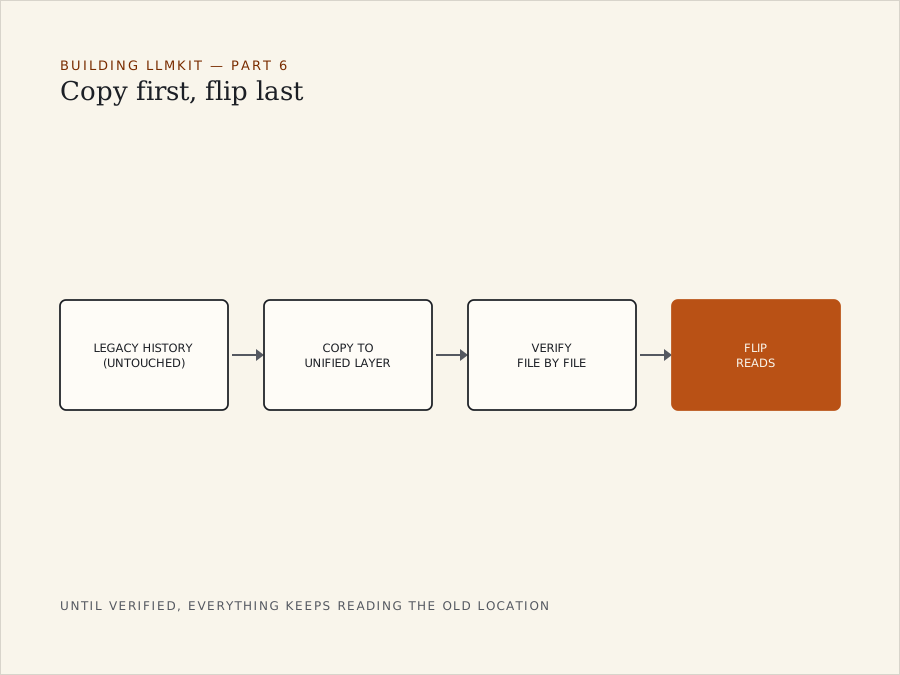
One design decision in LLMKIT’s usage-history layer mattered more than any line of code: when you migrate history to a new, unified location, you copy it. You never move it.
The temptation
Once data has landed in the new place, it’s tempting to “clean up” — delete the originals, reclaim the space, keep one source of truth.
But a session log that has already been pruned upstream is the one thing in this whole system that can’t be regenerated. If something goes wrong in the copy and the original is gone, that history is gone with it.
The rule
So the legacy per-provider history stays exactly where it was — untouched, indefinitely. The new unified layer is strictly additive on top of it.
Flip last, and only when verified
The migration itself only flips over once it has been verified file by file. Until then, everything keeps reading from the old location.
That means that at any moment the system is in one of two states:
- Not yet migrated — reading the old location, working and complete.
- Migrated and verified — reading the new location, with the old one still there as a fallback.
There is no third state where it’s half-migrated and broken.
Why a small rule matters
It’s a small rule, but it’s the difference between “we tried something new” and “we tried something new, and it’s safe even if we got it wrong.” For anything you can’t regenerate, copy-first should be the default, not the cautious option.